I have been trading cryptocurrencies for more than two years using Bitsgap grid bots. You have probably seen my previous results, but if not, feel free to check this section of the blog. Today, I will show you how to proceed when some of the trading bots leave the grid and receive the ‘Out of range’ status.
This is an unpleasant situation, as out of range bots do not make any profit. There are three ways to deal with these bots:
- Wait for the recovery until the price returns to the trading levels.
- Cancel the bot and sell all the base currency.
- Cancel the bot and re-launch it again on the new grid levels using the balance you have.
Today, I will show you how to implement the third option. This one allows you to continue with the automated trading activities and it could help you to generate more profits with the funds that you already own.
My bots currently running
At this moment I am running 3 bots by Bitsgap with Bitcoin being the quote currency:
- LTC/BTC
- DOGE/BTC
- POWR/BTC
The goal of my trading activities is to increase the amount of Bitcoin I own, so having BTC as a quote currency helps me to accumulate this virtual currency. In the following image, you find the results of these bots. As you can see, two of them are Out of range and one is still Active:
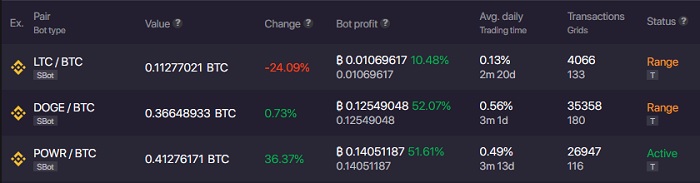
The POWR/BTC bot was also out of range for some time. However, at the time of writing this post, the price recovered. In this way, the pair continues to generate profit.
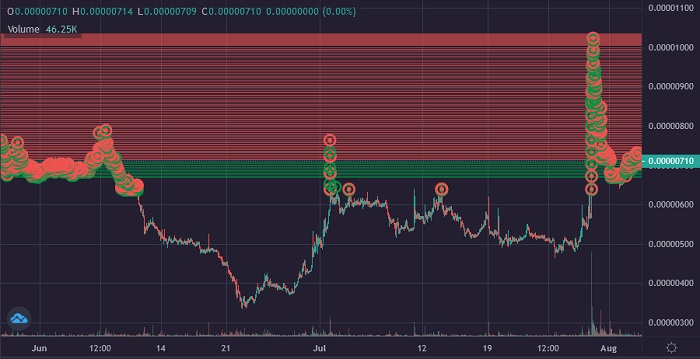
Below you can see how the LTC/BTC pair looks right now. It is clearly visible that the price has been under the grid for a long time already. It is not that far away from the trading range, but I still decided to set a new grid for that bot. The pair has been inactive for more than a month already, and I am definitely losing opportunities here.
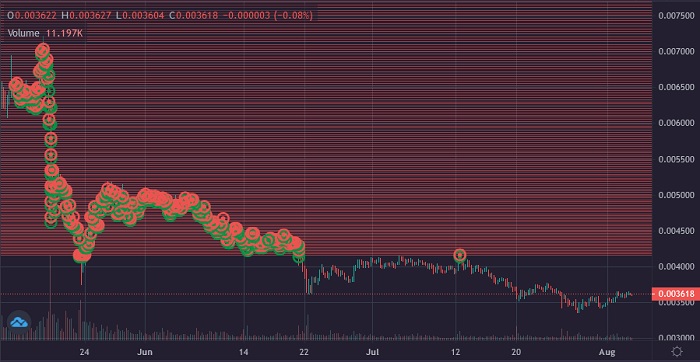
The situation with DOGE/BTC is even worse. The price keeps going down and there is no chance that it will come back to the current range any time soon.

So right now, I will show you how do I usually fix those out of range Bitsgap bots. First of all, I give them some time to recover. How much time to give them? Well, this is absolutely up to you: several days, weeks or even months. Some traders adjust the grids even before the price has left the range.
I don’t like to readjust my bots too often. That’s why I give the price some time to define a new trading range. You need to understand that out of range bots are useless in terms of profit, but you still have to pay for your monthly Bitsgap subscription. So probably, the most reasonable time period to react and re-launch the bots is between 2 to 5 days.
Closing the bots
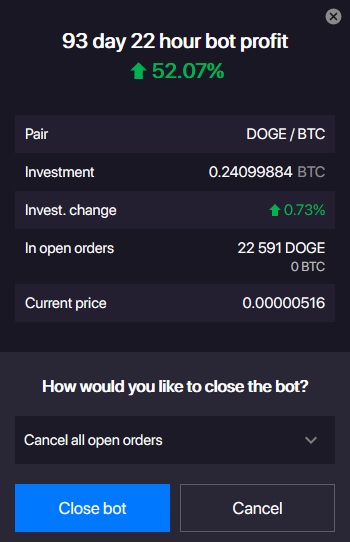
In order to set up these Out of range Bitsgap bots on the new trading range, we need to close the currently running bots. Right now I will close my LTC/BTC trading pair with a default option to simply cancel all open orders:
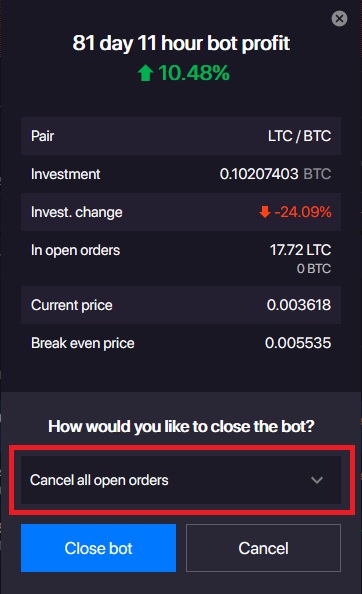
This feature will close the bot and leave all the LTC coins previously purchased by the bot in my account. There is also an option to automatically sell all the LTC coins back to Bitcoin when closing this bot. I will not be using this one, as my goal here is to continue trading.
Now I will also close DOGE/BTC pair.
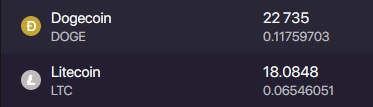
Once our Out of range bots are closed, we can check the portfolio to know how many LTC and DOGE coins we have. This information will help us to launch the new bots.
Starting new bots with existing coins
To launch a new LTC/BTC bot on the set-up screen I will leave all the numbers and features by default. The only thing we need to change is the size of the Investment. I have set it up on the 30% of the whole bankroll and it will require 17.5 LTC to start. I have around 18 LTC on my balance at the moment, which is enough to launch the bot.
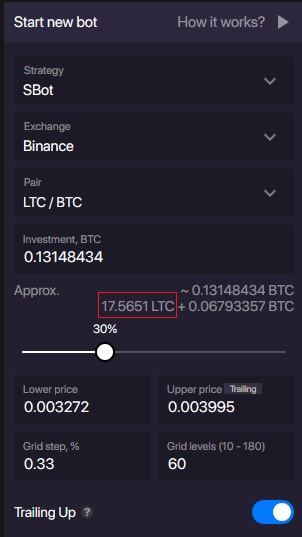
The Trailing up feature is also activated by default. This will allow the trading range to move up together with the price. This way my bots will never leave the range from the upper price limit.
The new trading range is also defined by default. This is the grid that Bitsgap suggests to set up and I will use this advice.
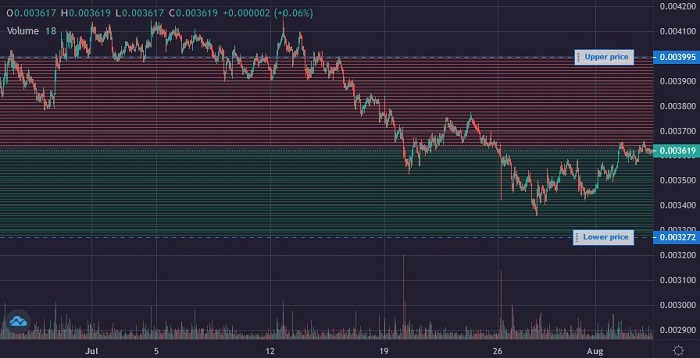
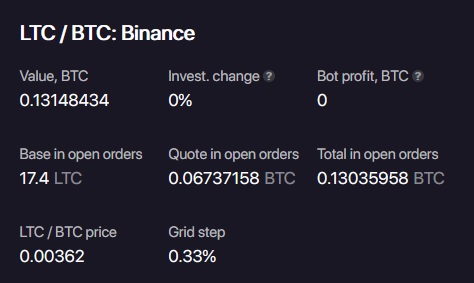
The new LTC/BTC bot has been launched. It did not buy any extra LTC to start, as it uses our old coins left from the previous bot.
To launch the DOGE/BTC bot I will also modify the ‘Investment’ field to make the number of DOGE coins so it will start trading with the coins that I have stored on my balance.
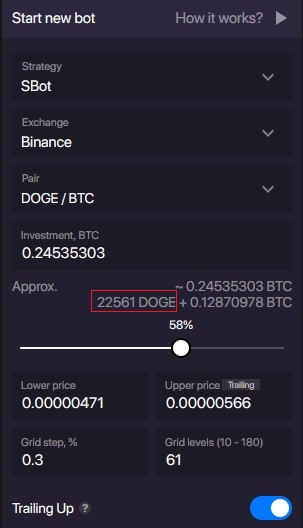
The grid range is again proposed by the Bitsgap service itself, and I find it pretty much fine for the launch.
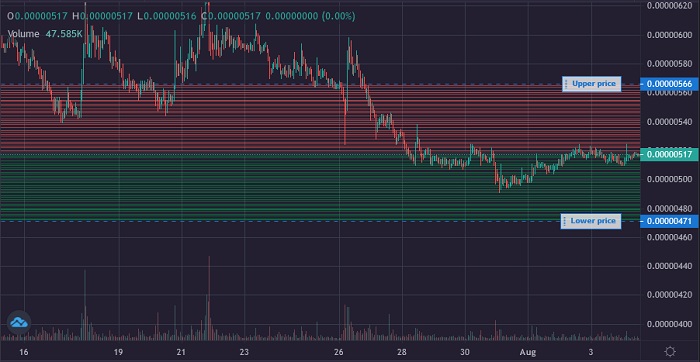
The second Out of range bot is now also fixed and running.
Checking the bots on the next day
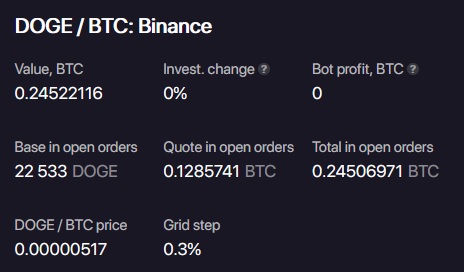
Now let’s check how the bots are doing on the next day after the fixing operation:
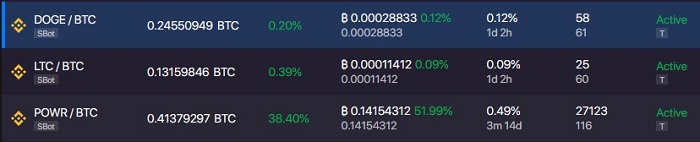
All three Bitsgap bots are up and running, successfully executing the deals.
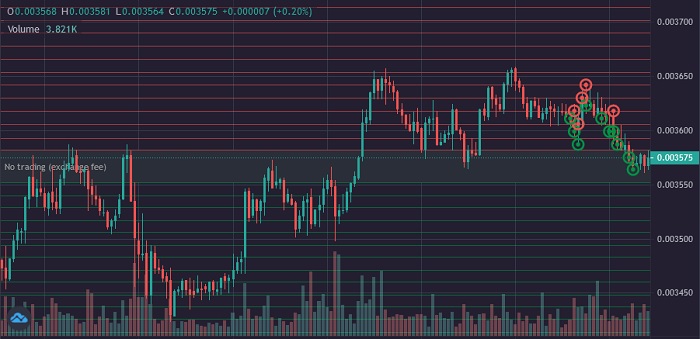
LTC/BTC bot
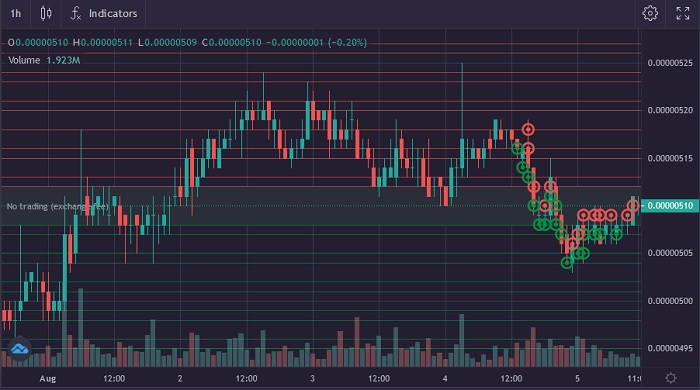
DOGE/BTC bot
As you can see, this is not that hard to repair the bots that have left the grid. Most of the settings needed to launch a new bot will be suggested by the Bitsgap platform itself. You only need to make sure, that all coins you have on the balance are involved in the trading process and keep bringing you profit.